01
Your Hajj group shares Arabic instructions
التجمع عند البوابة رقم ٣ بعد صلاة الفجر.
Meet at Gate 3 after Fajr prayer.
You know exactly where your group expects you.
 Safara - Hajj & Umra Translator
Built first for Hajj & Umrah pilgrims
Forward Hajj group instructions, Nusuk updates, posters, PDFs, voice notes, or announcements to Safara and instantly get clear English or Indonesian translations.
No more screenshots, switching to translator apps, opening ChatGPT, uploading images, or waiting for someone to explain.
Hajj & Umrah Situations Safara Helps With
Safara turns confusing pilgrimage messages into simple next steps, so you know where to go, when to meet, what to bring, and what the announcement is asking you to do.
التجمع عند البوابة رقم ٣ بعد صلاة الفجر.
Meet at Gate 3 after Fajr prayer.
You know exactly where your group expects you.
تم تحديث موعد التصريح. يرجى مراجعة التطبيق.
Your permit time has been updated. Please check the app.
You understand urgent permit updates before they become stressful.
يرجى إبراز البطاقة عند دخول المخيم.
Please show your card when entering the camp.
You avoid delays at the camp, hotel, or entrance.
رسالة صوتية من الحملة عن موعد التحرك
Safara listens and gives the meaning in English or Indonesian.
No need to ask someone to replay important instructions for you.
مخرج الحافلات إلى منى - المسار رقم ٢
Bus exit to Mina - Route 2.
You can move calmly instead of following the crowd without understanding.
Also helpful after Hajj & Umrah
The old way vs Safara
Real Examples From WhatsApp
Text, images, posters, voice notes, and menu actions shown exactly like users experience them.
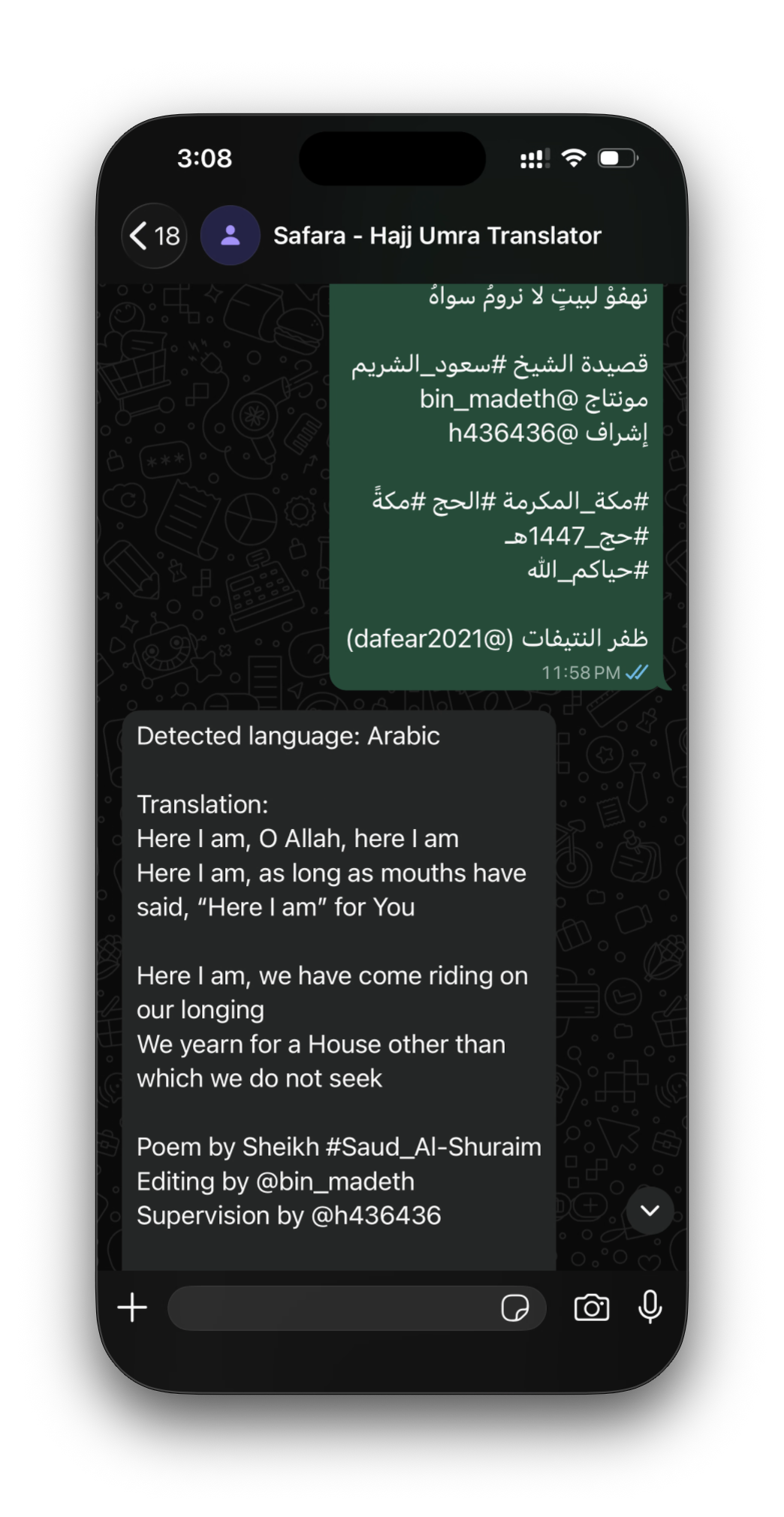
Missing image: assets/demo-translation.png
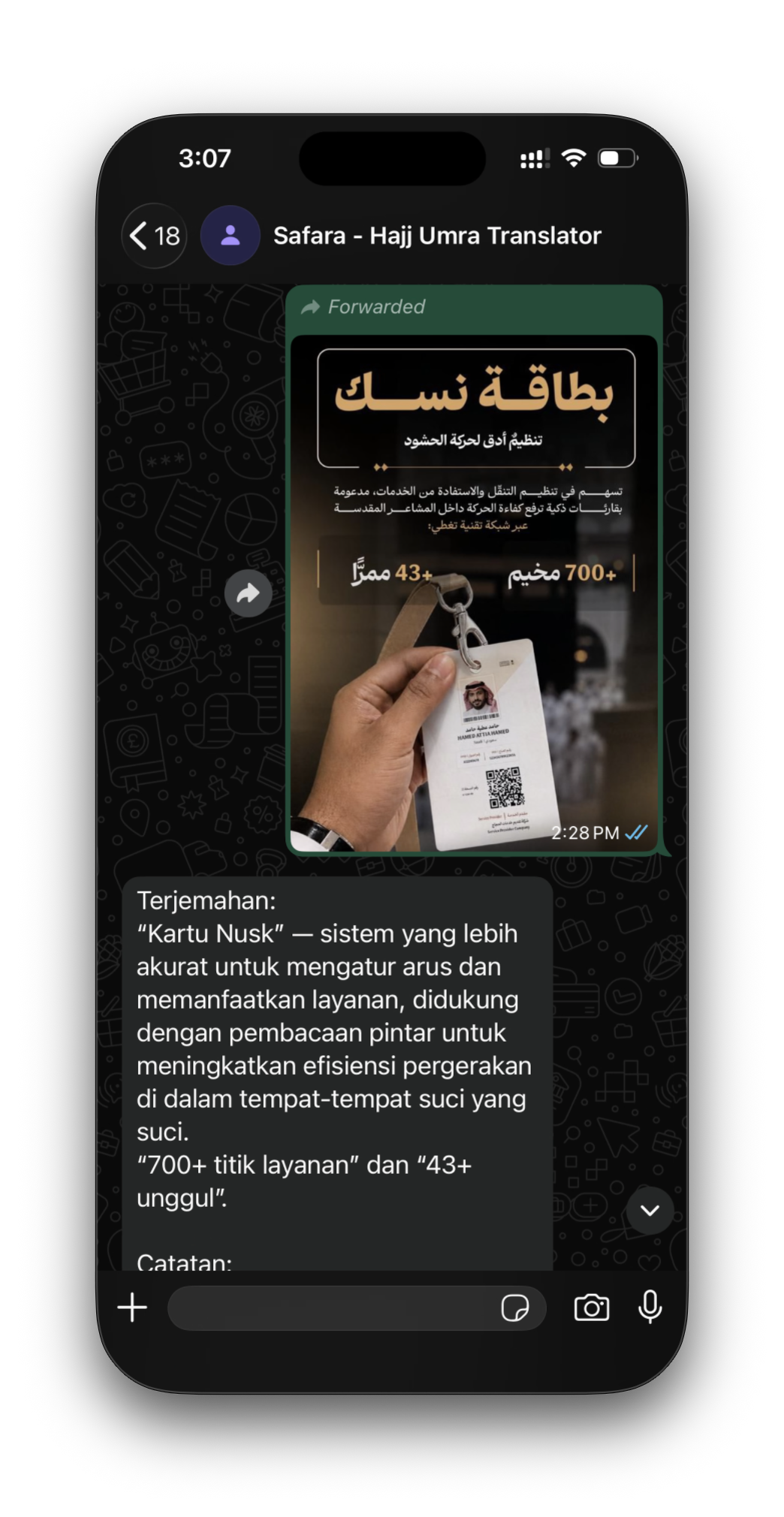
Missing image: assets/demo-nusuk.png
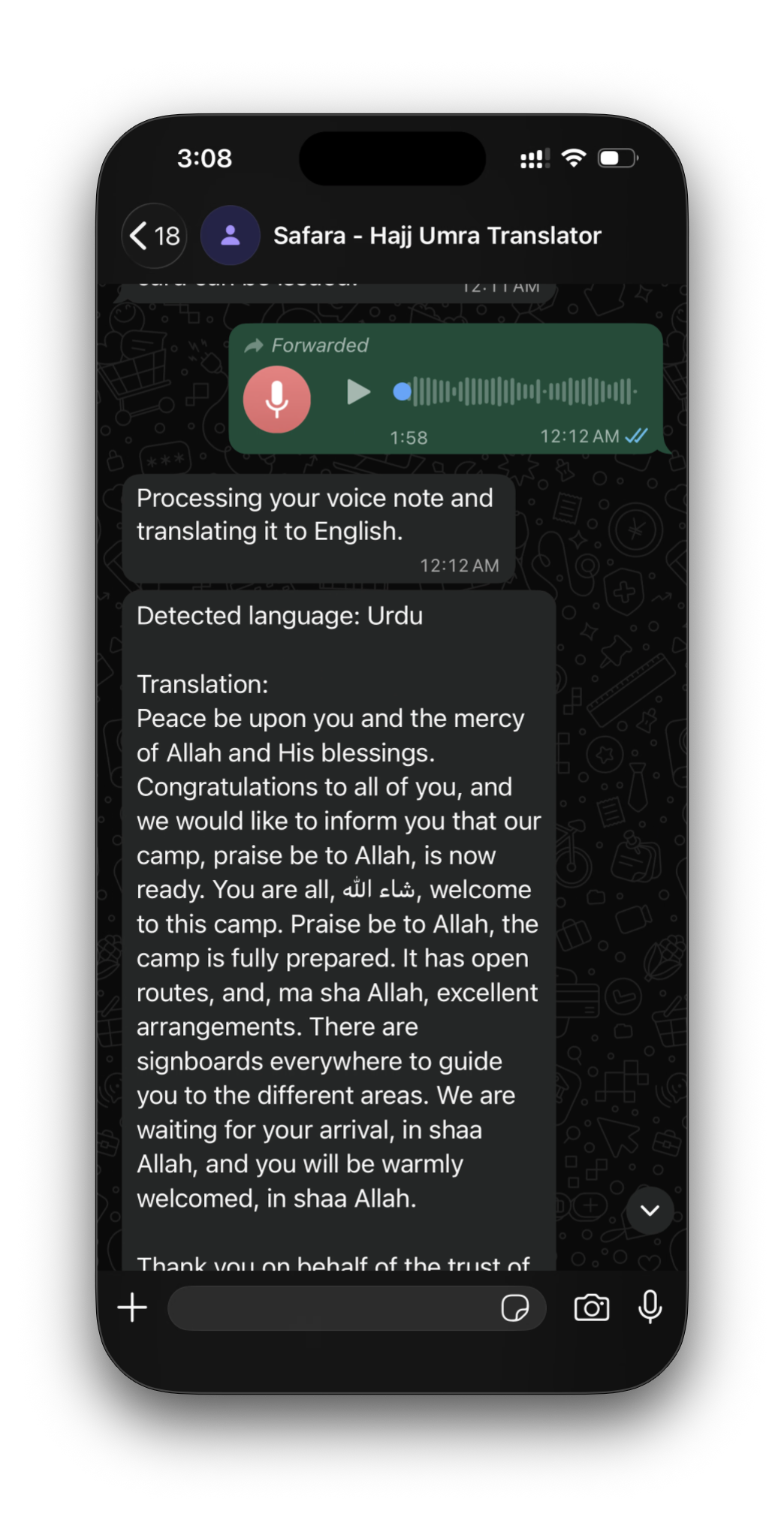
Missing image: assets/demo-voice.png
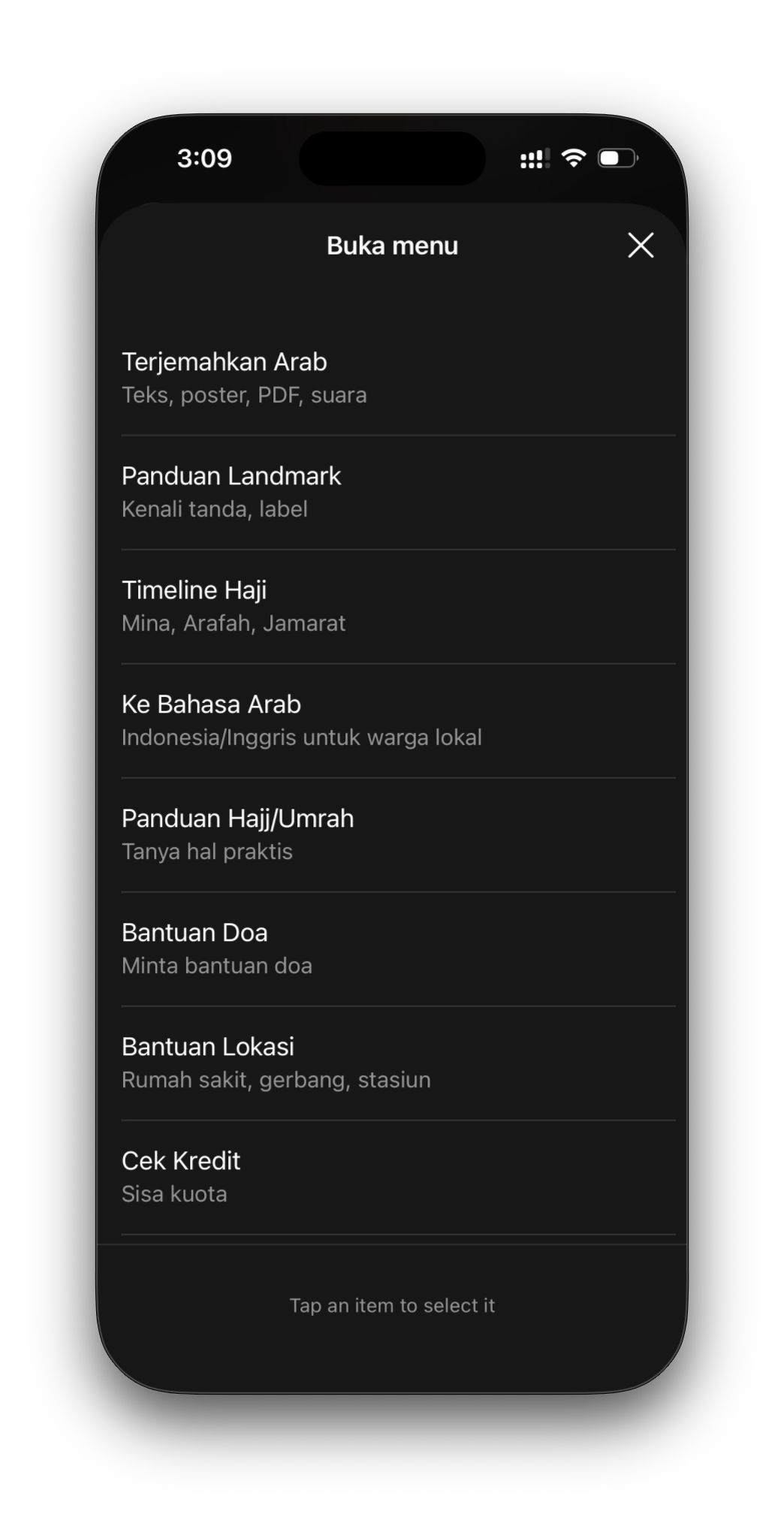
Missing image: assets/demo-menu.png
More ways it helps
Read signs, posters, official notices, PDFs, and voice notes in English or Indonesian.
Ask about Mina, Arafah, Muzdalifah, Jamarat, Tawaf, Sa'i, and daily Hajj stages.
Type in English or Indonesian and get polite Arabic you can show to drivers, shops, hotels, or staff.
WhatsApp command guide
You can simply forward Arabic messages to Safara. These short commands help you change language, open the menu, check credit, or ask for Hajj and Umrah guidance.
Shows translation, Hajj timeline, landmark guide, location help, credit, and settings.
Use help or bantuan if you forget what Safara can do.
Type en for English or id for Indonesian translations.
Use credit, quota, kredit, or kuota.
Try mina, arafah, muzdalifah, or jamarat.
Type say I need help or ucapkan saya mau ke hotel.
Use ask, guide, tanya, panduan, or doa.
Send a photo with guide, what is this, or apa ini.
Use clear, reset, or hapus to start fresh.
How it works
Start with Safara
Safara helps with Arabic group messages, Nusuk updates, camp notices, gate signs, transport instructions, voice notes, and announcements during your pilgrimage.
Questions
Safara is for Indonesian and English-speaking expats, pilgrims, visitors, and families in Saudi Arabia who need help understanding Arabic messages.
Arabic content can be translated to English or Indonesian. English and Indonesian can also be converted into practical Arabic for local communication.
No. Safara is an AI assistant. Always follow your official Hajj organizer, Saudi authorities, Nusuk, and trusted scholars or guides.
Yes. AI can misunderstand unclear photos, audio, or changing official information. Verify transport, medical, legal, and Hajj routing details with official sources.